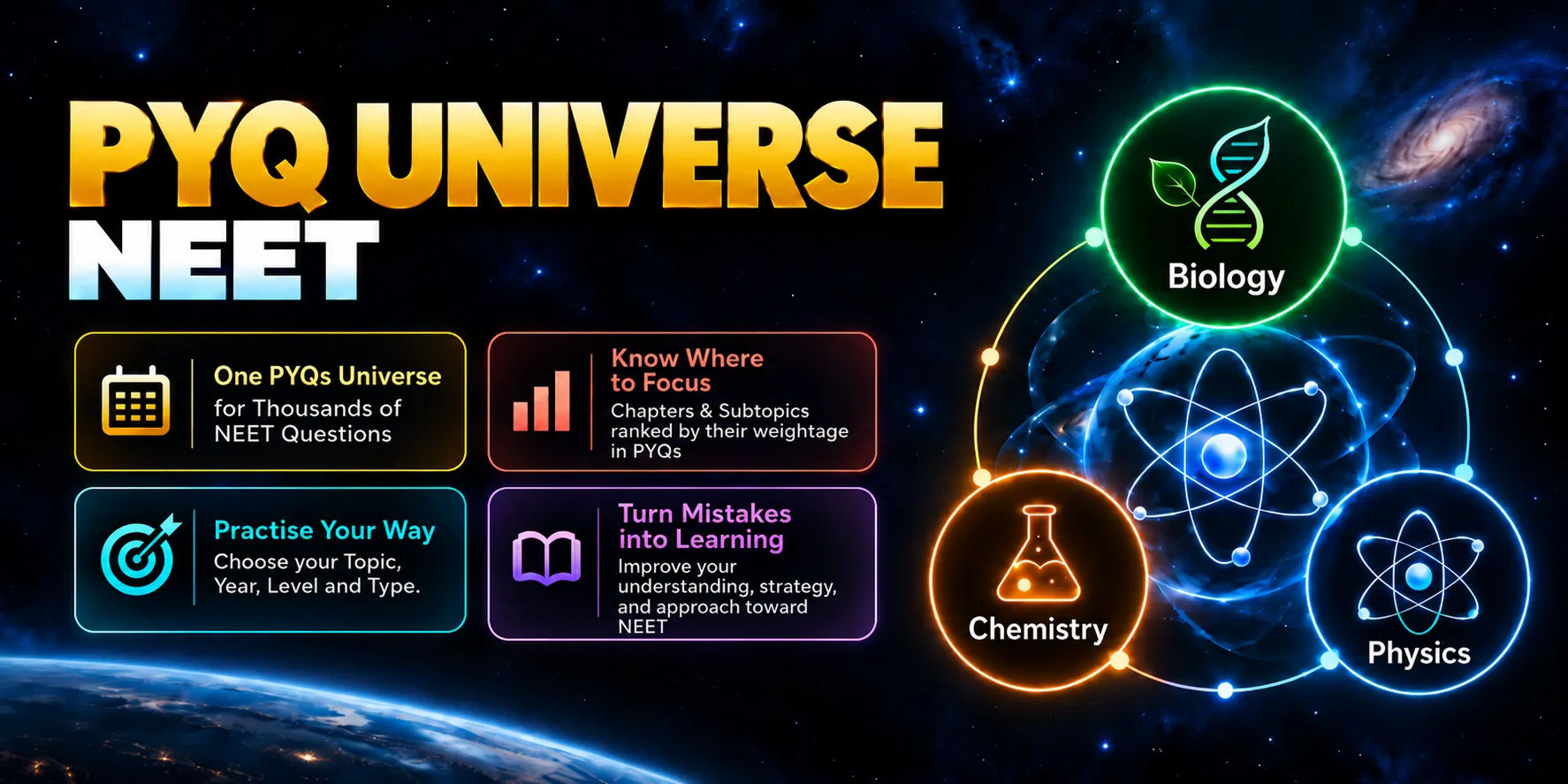
PYQs Universe - NEET
PYQs Universe - NEET
Don’t Just Solve PYQs.
Know What to Practise Next.
Which chapter should you start with? Which subtopics have been asked more often? How do you practise only the questions you need? PYQs Universe - NEET brings these choices together in one organised practice tool.
Access NEET Previous Year Questions across Physics, Chemistry and Biology. Explore chapters and subtopics arranged by past question frequency, customise your practice and review your attempts with answer feedback and worked solutions.
See what was asked. Choose your focus. Start practising.
NEET PYQs. Three Subjects. One Place.
Open the subject you want to work on and explore its chapter-wise PYQs. Whether today’s focus is Physics, Chemistry or Biology, your practice begins with a clear subject-to-chapter structure.
CHAPTER-WISE CLARITY
Most-Asked Chapters, Arranged for You
Don’t search through an unsorted chapter list to understand past question frequency. Chapters are arranged in descending order of the total PYQs asked, placing the more frequently asked chapters at the top.
See the chapter’s question count and past frequency before choosing your next practice session.
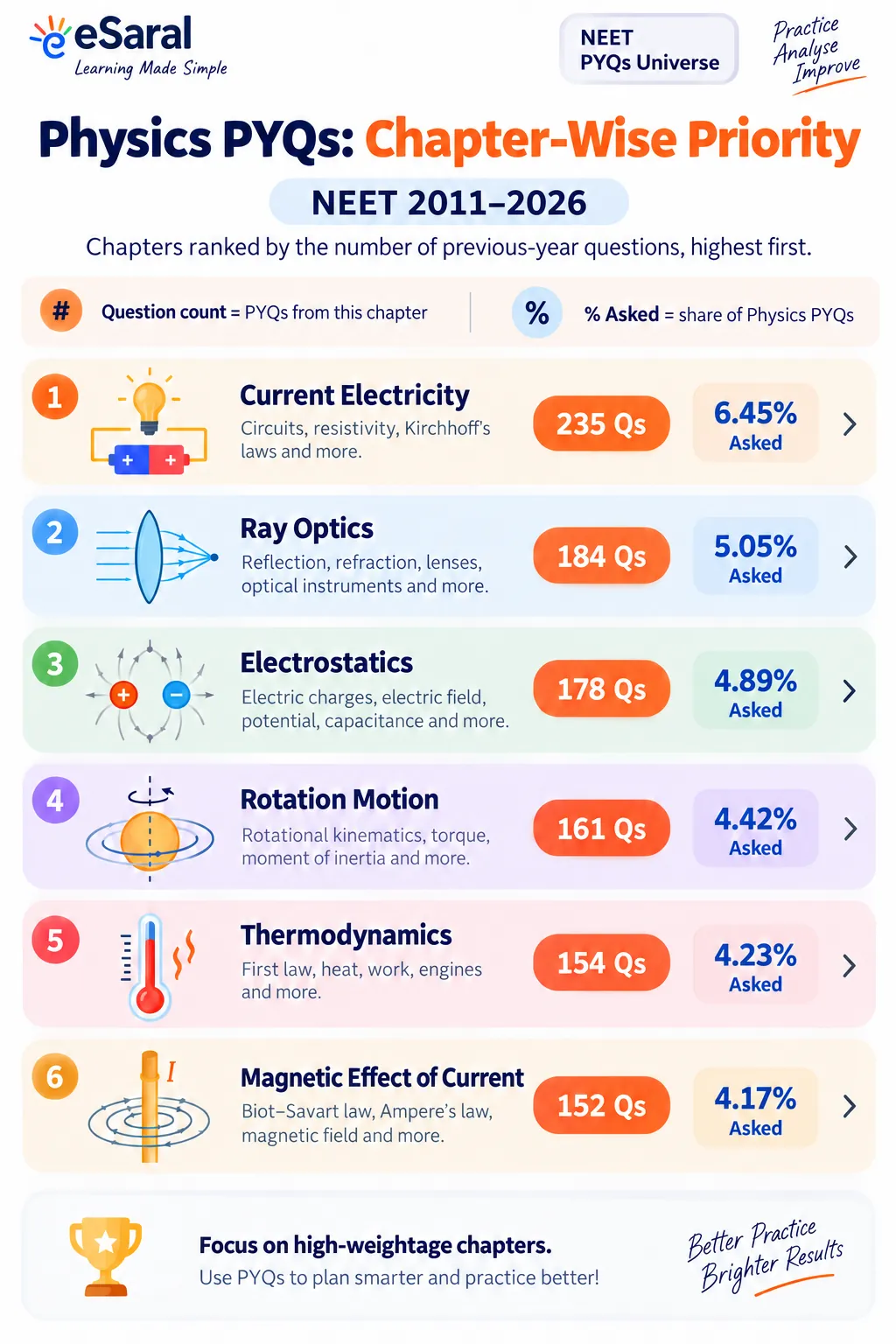
- View the total PYQs available for each chapter.
- Compare how questions were distributed across chapters.
- Use this information alongside your preparation needs to choose where to practise.
GO BEYOND THE CHAPTER NAME
Know Which Subtopics Have Been Asked More Often
Knowing that a chapter has many PYQs is useful. Knowing which concepts within that chapter those questions came from gives you a more specific place to begin.
Each chapter is divided into subtopics, also arranged in descending order of question frequency. Every subtopic shows its question count and percentage share of that chapter’s PYQs.
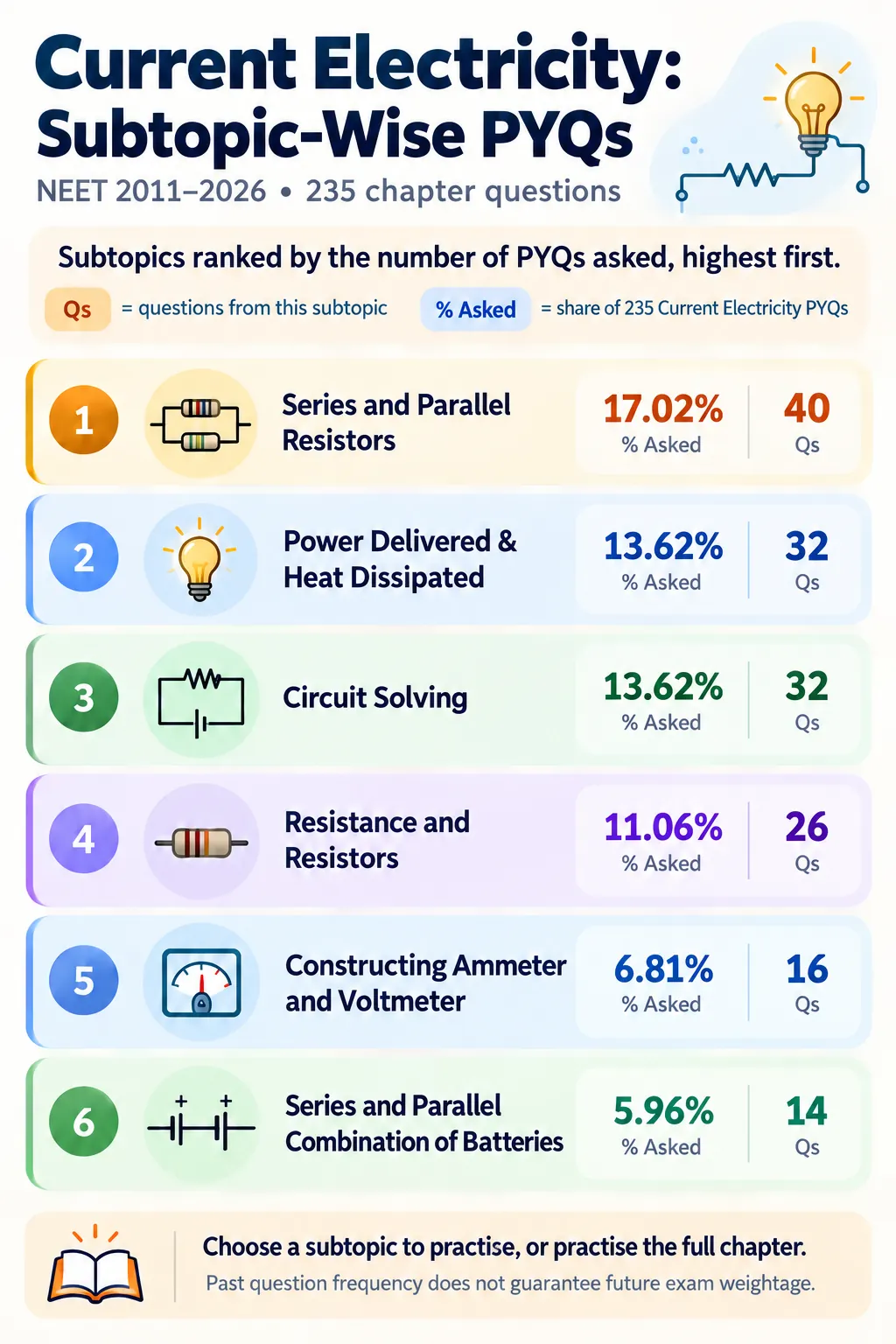
Move from “I need to practise this chapter” to “I know which subtopic I want to work on next.”
Counts and percentages describe past question frequency within the PYQs included in the tool. They are not predictions or guaranteed weightage for a future exam.
One Subtopic or the Entire Chapter — You Decide
Some days you need focused practice on one concept. On others, you want to work through a complete chapter. PYQs Universe gives you both options.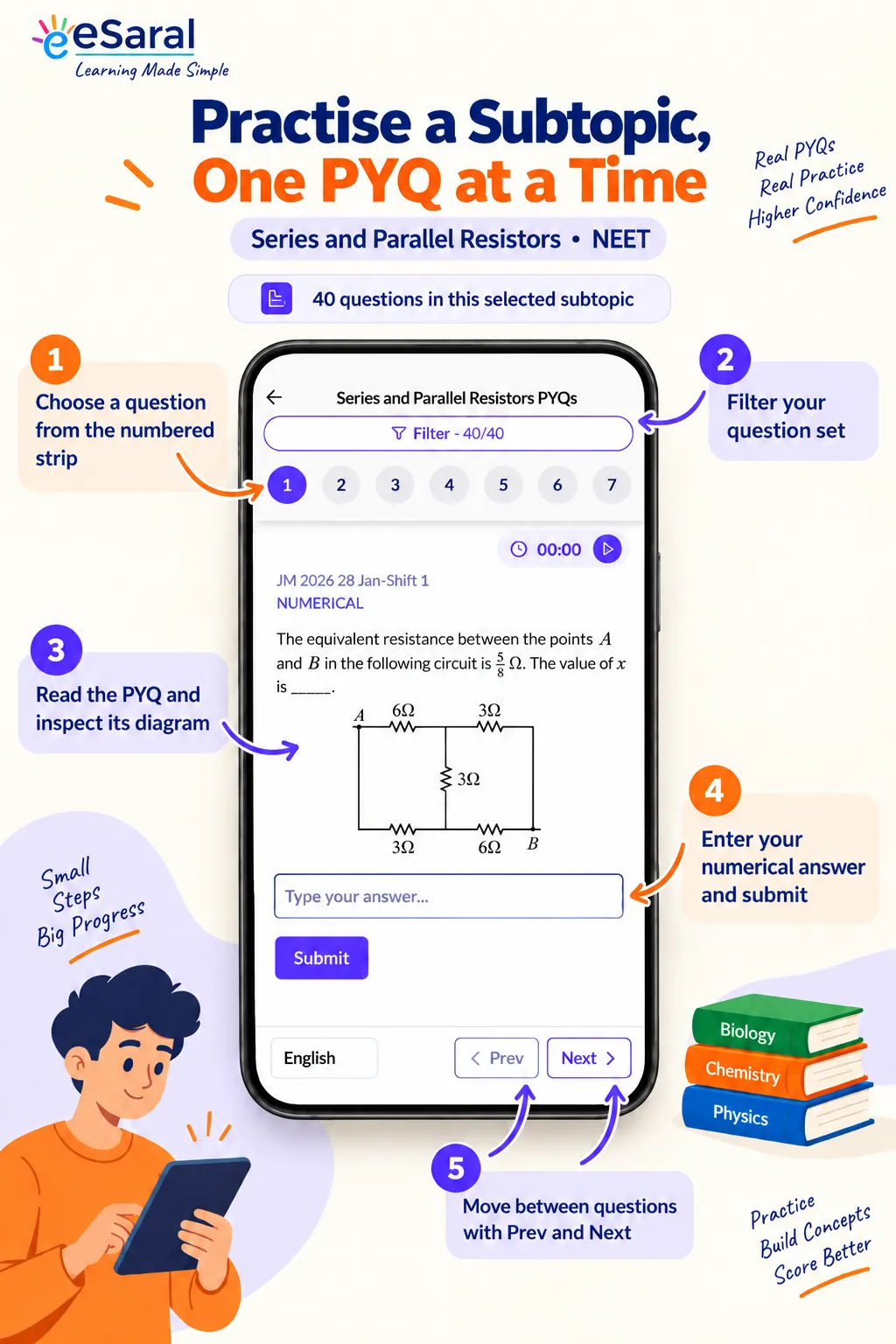
Subtopic-wise Practice
Select a particular subtopic and practise its PYQs. Useful when you have just revised a concept or want to give it more attention.
Full-Chapter Practice
Choose Practice All to work through the chapter’s PYQs across its subtopics when you are ready for a broader practice session.
BUILD YOUR OWN PRACTICE SESSION
Your Questions. Your Level. Your Choice of Years.
Practise the question set that matches your current goal. Use the available filters to narrow your selection instead of working through every question in the same way.
Difficulty: Choose from the available question levels for your practice session.
Exam Year: Select the exam years you want to include in your practice session.
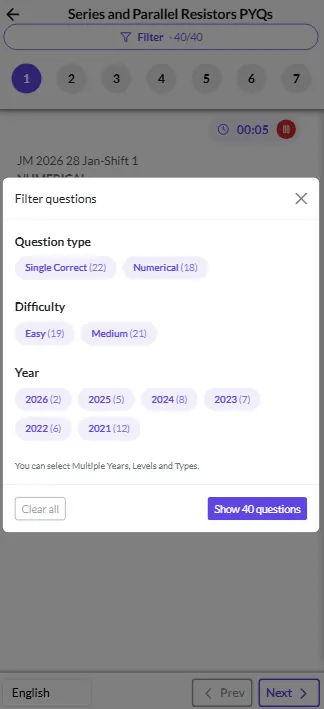
Use available filters to customise your PYQ practice around your current study goal.
Don’t Stop at Right or Wrong. Understand the Answer.
Submit your answer and check the feedback. An incorrect attempt does not have to be the end of the question: try again, reveal the correct answer when needed and review the worked solution.
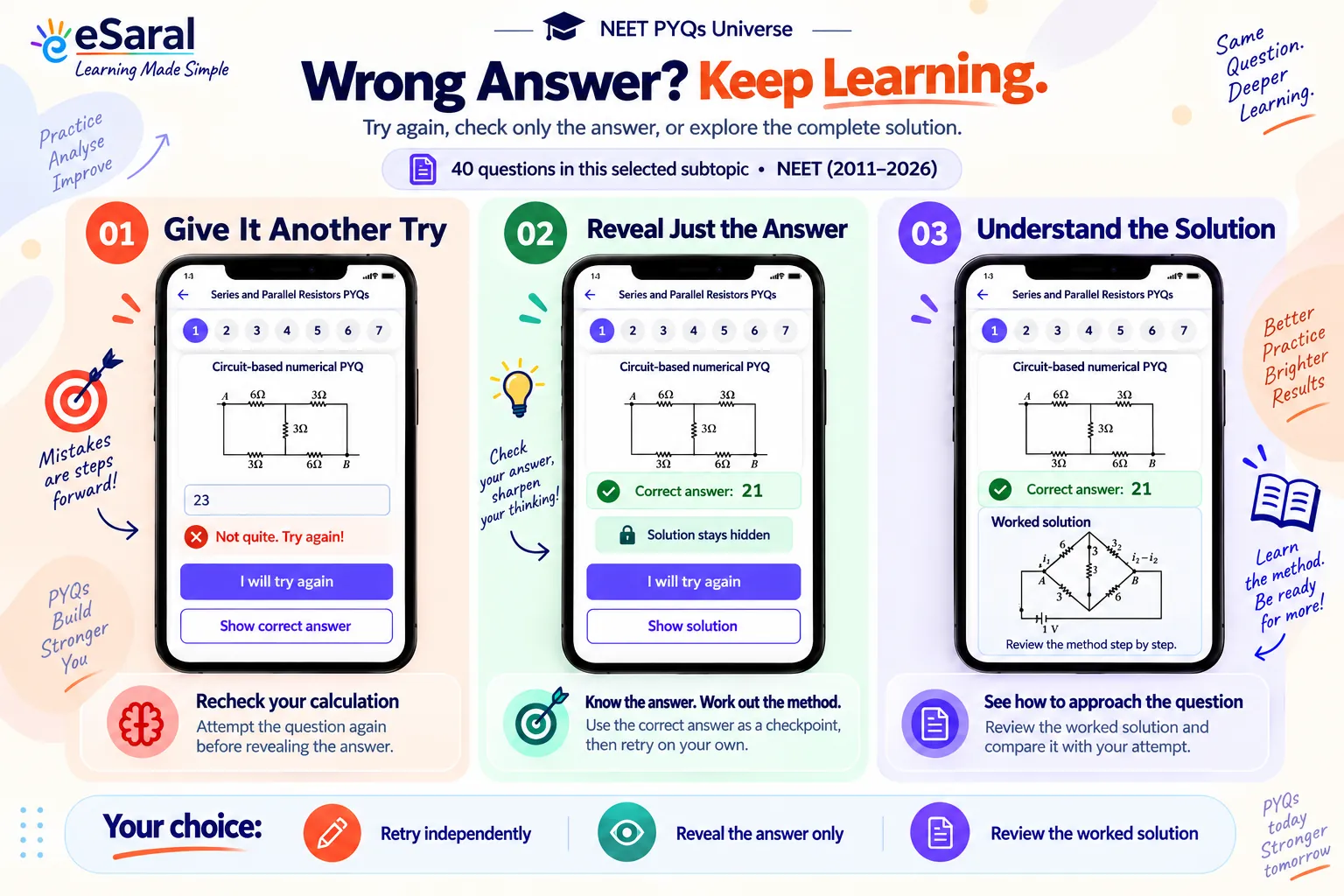
Attempt → Check → Retry → Review the Solution
Turn “What Should I Practise?” into a Clear Next Step
PYQs Universe connects your practice needs with specific choices inside the tool.
“I want to understand which chapters were asked more often.”
Explore the chapter list sorted by total PYQs asked.
“I need more practice on one particular concept.”
Open that subtopic and work through its PYQs.
“I want a question set that matches today’s study goal.”
Filter by the available difficulty levels and exam years.
“My answer is wrong, but I want to understand the method.”
Retry the question, check the correct answer and review its worked solution.
Built for Focused NEET Practice
Whether you are beginning chapter-wise PYQs, practising after revising a concept or returning to a subtopic that needs attention, choose the questions that fit the work you need to do.
For Parents: A Clear View of What Your Child Gets
This is an app-based PYQ practice tool with organised questions, chapter and subtopic frequency breakdowns, flexible filters, answer feedback and worked solutions. It gives your child a structured way to practise and review NEET questions.
Product Details
Give Every NEET PYQ Practice Session a Clear Direction.
See how questions were distributed. Choose your chapter or subtopic. Set your filters. Attempt the questions and understand the solutions. Bring a more focused approach to your preparation with PYQs Universe - NEET.
Choose Your Focus. Start Your NEET PYQ Practice. →